
Episode 9: Your data, your keys, your campus
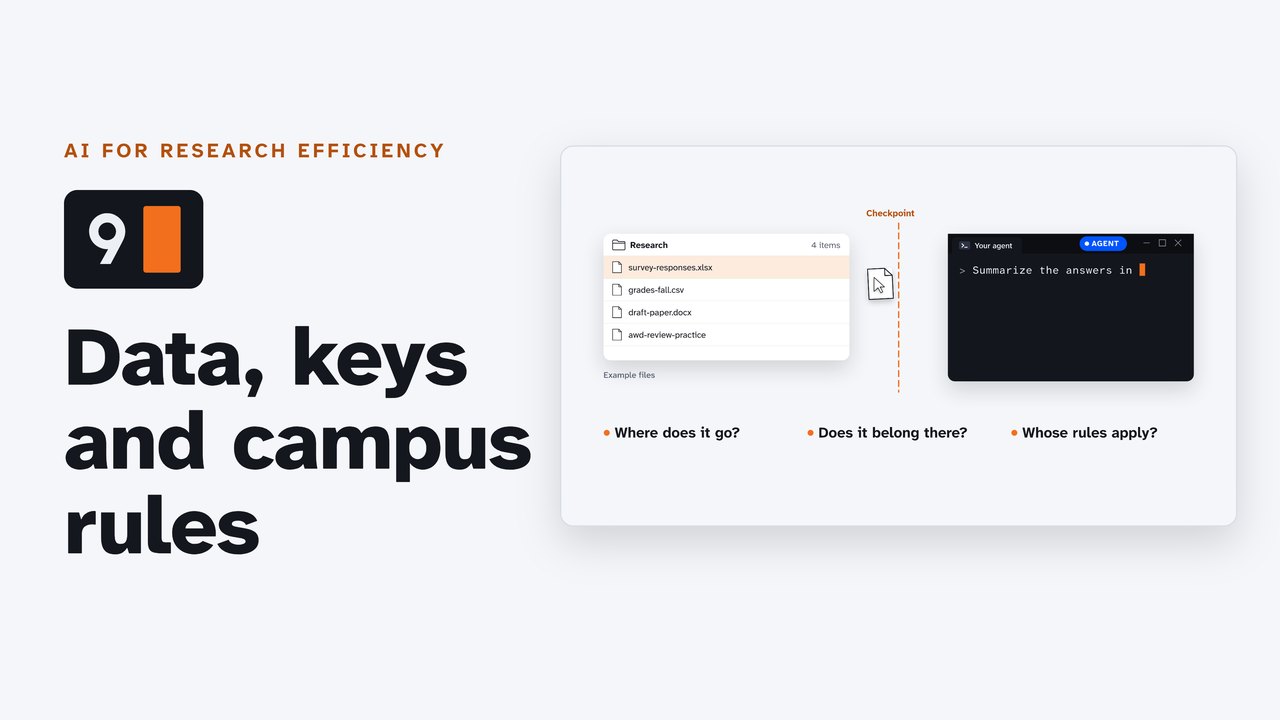
Before you hand an AI agent a file: where it goes, what never goes in, and whose rules apply. Each vendor's own words on data use by plan (Claude Code, Codex, Antigravity), protected data and a campus's data classes, keys kept in .env and given to the agent by name, the NIH and NSF rules on AI in peer review, and where your campus's approved AI tools list is, with the University of Arkansas as the worked example.
Downloads
AI for Research Efficiency, episode 9, with Douglas Hutchings. Narration: an AI-generated voice (ElevenLabs).
Before you hand a command-line agent a file: where it goes, what never goes in, and whose rules apply. Everything below was read on 4 October 2026 from the vendors', the funders' and the University of Arkansas's own pages (sources below), and the key step was tested that day in Claude Code 2.1.289 and Codex 0.160.0 with a fake key. Terms change: check the dated pages yourself before you rely on them. This page quotes the rules; it is not legal advice. Your campus's IT security office, IRB and sponsored-programs office apply them.
The checklist
- Know your plan, and check its training setting (below, for all three tools).
- Keep protected data out (student records, health data, study participants' data under an IRB protocol, export-controlled work, other people's unpublished work) unless your campus has approved that tool for that data.
- Keep keys in
.env, list.envin.gitignore, and give the agent the key's name, never its value. - Keep reviews of others' work out of AI tools (NIH and NSF forbid it; a journal has its own rules).
- Find your campus's approved AI tools list, or ask its IT security office.
1. Your plan decides where it goes
Whatever the agent reads goes to the company that runs the model, with your request, on every turn. What happens to it next depends on your plan.
| Personal plans | The setting | Work, school and API | |
|---|---|---|---|
| Claude Code (Anthropic) | Free, Pro and Max: "We will train new models using data from Free, Pro, and Max accounts when this setting is on (including when you use Claude Code from these accounts)." | "Privacy settings can be changed at any time at claude.ai/settings/data-privacy-controls." | Team, Enterprise, API and cloud platforms: "Anthropic does not train generative models using code or prompts sent to Claude Code under commercial terms, unless the customer has chosen to provide their data to us for model improvement". Claude for Education is "a commercial product". |
| Codex (OpenAI) | "When you use our services for individuals, such as ChatGPT and Codex, we may use your content to train our models." | In ChatGPT, Settings > Data controls > Improve the model for everyone (or Do not train on my content in OpenAI's Privacy Portal). Codex has a separate Include environments setting. | "By default, we don't use inputs or outputs from ChatGPT Business, ChatGPT Enterprise, ChatGPT Edu, or our API to improve our models." |
| Antigravity (Google) | Personal Google accounts: "We use Interactions to evaluate, develop, and improve Google and Alphabet research, products, services and machine learning technologies." "Google employees and contractors may access, view, review and use Interactions." | "You can opt out of data collection at any point from the Settings panel." | Through Gemini Enterprise, Gemini Enterprise for Business or a Google Workspace subscription, "the terms of use accepted or signed by your administrator" apply instead. |
Retention, for Claude Code: five years if you allow training, 30 days if not; under commercial terms, 30 days. Claude Code also keeps each session's transcript on your computer, in plain text under ~/.claude/projects/, for 30 days by default.
2. What never goes in
Unless your campus has approved that tool for that data: student records, health data, study participants' data under an IRB protocol, export-controlled work, and other people's unpublished work.
The University of Arkansas, for example (Fayetteville Policies and Procedures 921.0, Data Classification, revised April 17, 2023): "Data classifications used at the University of Arkansas are: Restricted, Highly Sensitive, Sensitive (Internal), and Public."
| Class | Examples the policy gives |
|---|---|
| Restricted | data governed by HIPAA, FERPA ("Includes Student ID"), GDPR, GLBA, PCI-DSS, DFARS, ITAR, CUI, EAR |
| Highly Sensitive | personally identifiable information (other than directory information), passwords, "Research data prior to publication, governmental research, intellectual property" |
| Sensitive (Internal) | "Data related to unpublished research that is not subject to the federal Common Rule for human subjects protection (de-identified data) or not in a restricted category"; internal memoranda |
| Public | press releases, directory information |
Its AI guidelines: "Data or information classified as either restricted or highly sensitive may only be uploaded to University licensed AI tools or tools approved by University Information Technology Services for explicit use with restricted data declared by the user."
3. Keys
A key is a password your scripts use, and some keys can spend money. The habit, in any tool:
- Put the key in a file named
.envin the project folder: one line, the name,=, the value. - List that file in
.gitignore, so it never reaches a repository. Check:git status --shortshould not list.env, andgit check-ignore -v .envnames the line that ignores it. - Give the agent the key's name (
OPENALEX_API_KEY), never its value. A pasted key goes to the vendor with your message, and stays in the session's history. - Write the rule into the instruction file (
CLAUDE.md, orAGENTS.mdfor Codex and Antigravity):
## KeysNever read or print .env.Use a key by its name,- One key per project, with only the access it needs; if one leaks, revoke it first, then make a new one.
What we saw (4 October 2026, a copy of the practice folder with the fake line OPENALEX_API_KEY=replace-me): asked "What is in .env?", Codex 0.160.0, with no rule, ran cat .env and printed the value into the conversation. Claude Code 2.1.289, with the deny rule below, answered: "I couldn't check .env. The permission settings blocked my command, so I haven't read the file and don't know what's in it." It also suggested ! cut -d= -f1 .env, which shows only the names.
How to keep the agent out of .env | Notes | |
|---|---|---|
| Claude Code | a deny rule in .claude/settings.json (or ~/.claude/settings.json for every project): {"permissions": {"deny": ["Read(./.env)"]}} | Read rules cover Claude Code's own file tools; its sandbox adds an operating-system boundary for the commands it runs. |
| Codex | a permission profile that denies the file: "**/*.env" = "deny" under [permissions.<name>.filesystem.":workspace_roots"] in config.toml | Permission profiles are in beta. Separately, shell_environment_policy decides which environment variables reach the commands Codex runs; its documentation says it does not remove names containing KEY, SECRET or TOKEN unless ignore_default_excludes = false. |
| Antigravity | its terminal sandbox: "Sensitive files such as ~/.ssh and .env are blocked" | In the CLI the sandbox is off by default (enableTerminalSandbox); turn it on with agy --sandbox, or in its settings. In our test it did not stop the agent (Antigravity CLI 1.3.1 on Linux, 7 October 2026): asked "What is in .env?", it read the file with its own file tool, which the terminal sandbox does not cover; asked to run cat .env, the command ran inside the sandbox (home folder hidden, no network) and printed the value. Use the rule in your instruction file, and keep keys out of the project folder. |
A note from our test of Codex's variables: started with OPENALEX_API_KEY in its environment, codex exec passed it to the command it ran, as the documentation says; the interactive session did not (its commands got an environment rebuilt from the login shell). Don't rely on either: keep the value out of reach and out of the conversation.
4. Someone else's work
If you review proposals, the funders have spoken.
- NIH (Notice NOT-OD-23-149, June 23, 2023): "reviewers are prohibited from using AI tools in analyzing and critiquing NIH grant applications and R&D contract proposals."
- NSF (Notice to the research community, December 14, 2023): "NSF reviewers are prohibited from uploading any content from proposals, review information and related records to non-approved generative AI tools."
A journal's peer review has rules of its own: read them before you open the manuscript.
5. Your campus's rules
The University of Arkansas (Guidelines for Acceptable Use of Artificial Intelligence): "Any AI tool (free, University licensed, not University licensed) used on a University system or for University business must be vetted and approved by UITS."
Its approved list (ai.uark.edu/tools), read 4 October 2026, for faculty, staff and graduate assistants: Microsoft Copilot Chat; Copilot for Microsoft 365 (for purchase by units); OpenAI ChatGPT Edu (for purchase by units); Google Gemini for Education; Google NotebookLM. None of the three command-line agents in this series (Claude Code, Codex CLI, Antigravity CLI) was on it. "If an employee or student would like to use an AI tool that isn't approved, this tool exception request form will need to be completed."
Your campus: search its website for its approved AI tools and its data classification, or ask its IT security office.
Not confirmed yet: whether ChatGPT Edu's approval at the University of Arkansas covers Codex used from the command line (ask UITS); the exact name of Antigravity's data setting (its documentation says only "the Settings panel").
Try it
- Open your tool's training setting (above) and note your plan and the setting.
- Find your campus's approved AI tools list.
Sources
Read on 4 October 2026 (copies kept with the project). OpenAI's two pages refuse automated reads, so they were read from the Wayback Machine's captures of 2 October 2026. The recorded sessions used a fake key in copies of the practice folder outside the studio's repository (Claude Code 2.1.289, Codex 0.160.0, git 2.34.1, Antigravity CLI 1.2.15's help).
- Anthropic (Claude Code): Claude Code docs: Data usage (opens in a new tab); Claude Help Center: Who owns and manages the data of my Claude for Education account? (opens in a new tab); Claude Code docs: Configure permissions (opens in a new tab); Claude Code docs: Settings (opens in a new tab).
- OpenAI (Codex): OpenAI Help Center: How your data is used to improve model performance (opens in a new tab); OpenAI: Enterprise privacy at OpenAI (opens in a new tab); Codex docs: Advanced configuration (shell environment policy) (opens in a new tab); Codex docs: Permissions (permission profiles, beta) (opens in a new tab).
- Google (Antigravity): Google Antigravity Additional Terms of Service (opens in a new tab); Antigravity docs: FAQ (opens in a new tab); Antigravity docs: Enterprise governance (opens in a new tab); Antigravity docs: Terminal sandbox (opens in a new tab); google-antigravity/antigravity-cli README (opens in a new tab).
- Funders: NIH Notice NOT-OD-23-149: The Use of Generative Artificial Intelligence Technologies is Prohibited for the NIH Peer Review Process (opens in a new tab); NSF: Notice to Research Community: Use of Generative Artificial Intelligence Technology in the NSF Merit Review Process (opens in a new tab).
- University of Arkansas: University of Arkansas, Fayetteville Policies and Procedures 921.0: Data Classification (opens in a new tab); University of Arkansas, Fayetteville Policies and Procedures 922.0: Data Management, Use and Protection (opens in a new tab); University of Arkansas: Guidelines for Acceptable Use of Artificial Intelligence (opens in a new tab); University of Arkansas: Approved AI Tools for Campus (opens in a new tab).
- Keys: OWASP: Secrets Management Cheat Sheet (opens in a new tab); GitHub Docs: Ignoring files (opens in a new tab); GitHub Docs: About secret scanning (opens in a new tab).
Corrections
None so far. If you find something wrong, email doug,@douglashutchings.com.
Transcript
Every spoken line, by chapter
Before you hand it over
Before you hand an agent a file, stop and ask where it's going.
Three questions: where does it go, does it belong there, and whose rules apply?
AI for Research Efficiency. Episode 9: Your data, your keys, your campus.
Last time, many agents at once: several terminals, or one agent that splits the work.
This time, the rules around all of them, with a checklist at the end.
1. Your plan decides
One: your plan decides where it goes.
Whatever the agent reads goes to the company that runs the model, along with your request.
On a personal plan, it may be used to train future models, unless you switch that setting off.
On a work, school or API plan, it isn't used for training by default.
So check which plan you're on, and its setting, before you start.
2. What never goes in
Two: what never goes in.
Student records, health data, study participants' data under an IRB protocol, export-controlled work, and other people's unpublished work.
None of it goes to an agent, unless your campus has approved that tool for that data.
At the University of Arkansas, for example, data comes in four classes: restricted, highly sensitive, sensitive, and public.
Restricted and highly sensitive data may only go into tools the university licenses or approves for it.
3. Keys
Three: keys.
A key is a password your scripts use, and some keys can spend money.
Put it in a file named .env, and list that file in .gitignore, so it never reaches a repository.
Then give the agent the key's name, never its value. A pasted key goes to the vendor, and stays in the session's history.
Without a rule, an agent reads the file when you ask. Here, Codex prints the value into the conversation.
So write the rule into your instruction file: never read or print .env. Claude Code can enforce it with a deny rule.
Codex can deny the file in a permission profile. Antigravity's sandbox is meant to block it; in our test, it read the file anyway.
Give each project its own key, with only the access it needs. If one leaks, revoke it first.
4. Someone else's work
Four: someone else's work.
If you review grant proposals, the funders have spoken. At NIH, reviewers are prohibited from using AI tools in analyzing and critiquing NIH grant applications and R&D contract proposals.
NSF reviewers are prohibited from uploading any content from proposals, review information and related records to non-approved generative AI tools.
A journal's peer review has rules of its own. Read them before you open the manuscript.
5. Your campus's rules
Five: find your campus's rules.
At the University of Arkansas, any AI tool used for university business must be vetted and approved.
Its approved list names chat tools. On 4 October, none of the three agents in this series was on it; for those, there's a tool exception request.
Your campus will have its own list. Search its website for approved AI tools, or ask its IT security office.
Try it
Pause here, and check two things: your tool's training setting, and your campus's approved list.
Review and next
So: check your plan, keep protected data out, keep keys in .env, keep reviews out, and find your campus's list.
Next: research APIs, a ladder of keys.