
Episode 14: Where your agent lives
Where an AI agent can live, and how to keep it running: Windows' sleep and update-restart defaults, a 'leave it on' checklist (Windows first, the Mac beside it), sessions that outlive the terminal in Claude Code, Codex and Antigravity, reaching a machine safely, what runs while you sleep, and the power bill in Arkansas numbers.
Downloads
AI for Research Efficiency, episode 14, with Douglas Hutchings. Narration: an AI-generated voice (ElevenLabs).
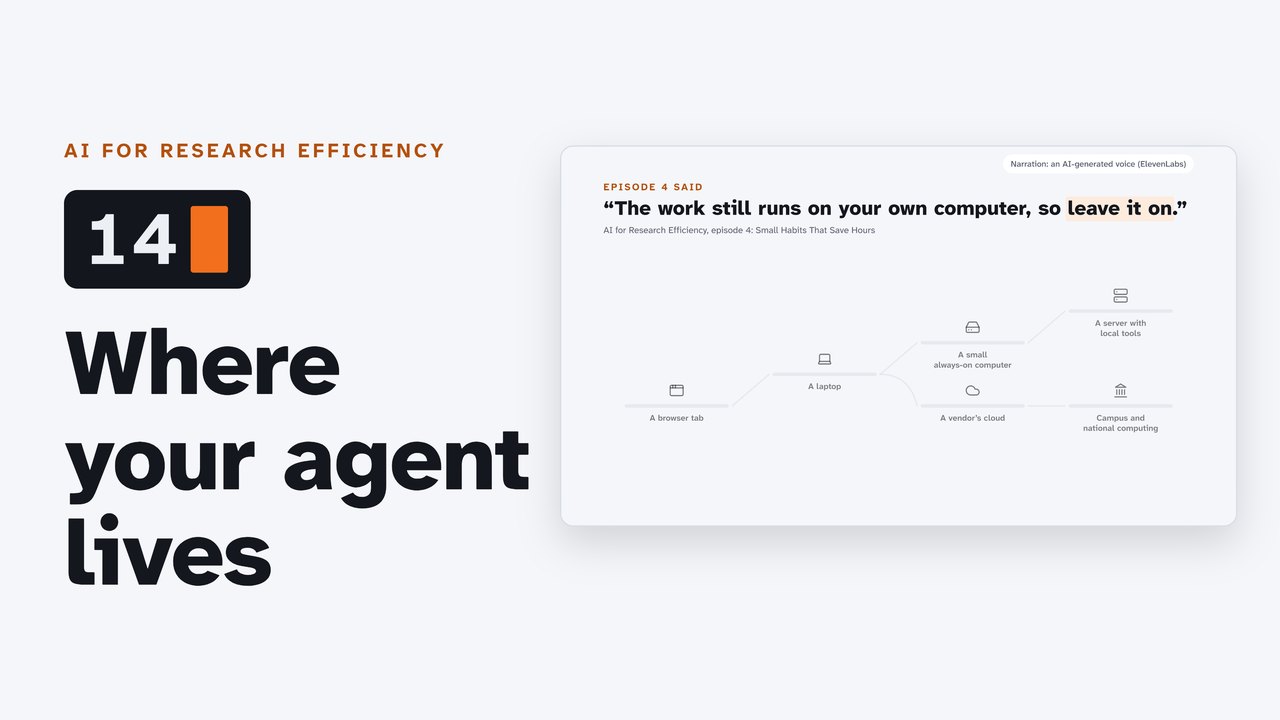
An agent works only while its computer is awake and online. Episode 4 ended with "The work still runs on your own computer, so leave it on." This page is how: where an agent can live (your laptop, a small always-on computer, a GPU machine, a vendor's cloud, your campus's cluster), what each adds and costs, how to keep it running and reach it safely, and what running a model locally does and does not settle. Windows first, the Mac beside it. Plans, prices, features and scores as of 24 October 2026, from each vendor's own page (the sources are at the end): they change, so check before you rely on one.
Builds on: episode 1 (from the browser to the terminal), 4 (remote control), 7 (plans and limits), 9 (your data, your keys, your campus).
The owner's path
The owner of this series, on 24 October 2026: "in my own case, I ended up purchasing an 'always on' mini-PC so I could have long running tasks that I could control remotely ... and then finally a much more powerful server that could complete the always on nature with a variety of additional, and powerful, local tools to help ensure both strict confidentiality and cost control." (One typing slip corrected; an aside left out where the ellipsis is.)
The owner's machines, in the owner's words of 27 October 2026 (typing slips corrected; "terminus" is Termius, the SSH client, as the owner confirmed on 3 November 2026):
- The always-on mini PC: "The mini PC is/was "newt" on the network and is the following: Beelink SER8 Mini PC, AMD Ryzen 7 8745HS, 16GB DDR5 RAM 500GB PCIe 4.0 SSD". Still in use (the owner, 3 November 2026). Beelink's own SER8 page lists the Ryzen 7 8745HS, DDR5 5600 MHz memory and two M.2 PCIe 4.0 slots; the maker publishes no idle power figure, only "TDP(MSP): 65W".
- How the owner reaches the machines: "I connect to them over remote desktop, wireguard to unraid then ssh and now I use Termius and a custom tmux setup with multiple panes." WireGuard is what Tailscale is built on: "At its core, Tailscale uses WireGuard, a state-of-the-art VPN protocol known for its security and performance." Termius describes itself as "a modern SSH client for Mac, Windows, Linux, iOS, and Android."
- The server: "it was in excess of $30k but it has likely saved me 360+ hours of time and enabled projects I would otherwise be unable to do (like video generation and testing) in addition to using it for editing/improving internal grant development work." And: "The 360+ hours is also to-date over a roughly 9 month period of time." Both figures are the owner's own estimates. The owner gave no power readings, and where the server sits is not part of this page.
| Rung | What it adds | What stops it | What it costs (24 October 2026) |
|---|---|---|---|
| A browser | nothing to install; files go up as copies (episode 1) | nothing local keeps running | free to $20 a month and up |
| An agent on your laptop | it works in your own folders (episodes 2 to 13) | sleep, the lid, update restarts, closing the terminal | your plan; the laptop you have |
| A small always-on computer | a host that stays reachable: remote control, schedules, background sessions | power cuts, update restarts, a signed-out session | $385 to $899 for the boxes we read; about $5 to $12 a year in power at 4 to 10 W |
| A GPU workstation or server | local models, transcription, speech; bulk jobs with no per-token charge | the same, plus the model's memory and speed | thousands to tens of thousands of dollars; about $361 a year at 300 W |
| Not buying: a vendor's cloud agent | keeps working while your computer sleeps or is off | plan limits; works on a copy of your project (most on GitHub) | in paid plans; Jules has a free tier |
| Not buying: campus and national computing | GPUs and free allocations | job time limits, queues, data rules, "open and publishable" (NAIRR) | free to eligible researchers |
1. Leave it on: the checklist
The full checklist, every path, Windows and Mac: leave-it-on-checklist.md. In short:
- Sleep. Windows 11: Settings > System > Power & battery > Screen, sleep & hibernate timeouts, "Make my device sleep after", When plugged in: Never (confirmed on a Windows 11 PC by the owner, 3 November 2026). Microsoft's new defaults when plugged in: 5 minutes on modern standby devices, 15 on S3 devices. Mac desktop: System Settings > Energy > "Prevent automatic sleeping when the display is off"; Mac laptop: System Settings > Battery > Options > "Prevent automatic sleeping on power adapter when the display is off".
- The agents' own keep-awake. Antigravity: "If an agent is running, Antigravity prevents your computer from sleeping." Codex:
features.prevent_idle_sleep, "Prevent the machine from sleeping while a turn is actively running (experimental; off by default)." Claude Code:caffeinateon a Mac (its changelog); the Desktop app's Keep computer awake; on Windows, not documented. - The lid. "Closing the laptop lid still puts it to sleep." (Anthropic). A mini-PC has no lid.
- Updates. "By default, active hours are from 8 AM to 5 PM on PCs." and "Automatic restarts after an update occur outside of the active hours." Stretch them (up to 18 hours) in Settings > Windows Update > Advanced options > Active hours, and restart it yourself between runs.
- Power cuts. Mac desktop: Energy > "Start up automatically after a power failure". Some mini-PCs list automatic power-on ("AUTO POWER ON"); where to switch it on depends on the model.
OpenAI's own advice: "Use a dedicated always-on Mac or Windows PC when you want ChatGPT to stay reachable for longer-running work." Because: "If that computer sleeps, loses network access, or closes the app, remote access stops until it's available again."
2. Keep the session alive
| Tool | How | Documentation |
|---|---|---|
| Claude Code | background sessions: claude --bg or /bg; claude agents lists them (research preview) | "Background sessions don't need any terminal open to keep working." "Shutting down or restarting your machine stops running background sessions." |
| Antigravity | agy remote-control start (the daemon) | "registers as an OS service (a systemd user service on Linux, a LaunchAgent on macOS, or a Scheduled Task on Windows)"; at boot on Windows it "requires an Administrator prompt" |
| Codex | the ChatGPT desktop app as the host | "hosts running the ChatGPT desktop app on macOS and Windows"; the CLI's codex remote-control is experimental |
| Any of them, on a Mac, Linux or WSL | tmux new -s run, then tmux attach -t run after you reconnect | "start it inside tmux or screen to keep the session running after you disconnect from SSH" (Anthropic) |
While you sleep. In the cloud, with your computer off: Claude Code's cloud scheduled tasks ("runs even when your computer is off"; research preview; they "draw down subscription usage the same way interactive sessions do") and Codex's scheduled tasks in ChatGPT on the web (paid plans; without your local folders). On your machine, which must be on: Claude Code Desktop's local tasks ("only fires while the app is open and your computer is awake"), Codex's desktop project tasks ("Keep the computer on and the app running when a scheduled task needs local files."), Antigravity's /schedule, Windows Task Scheduler (WakeToRun: "the Task Scheduler will wake the computer when it is time to run the task"; not if it is off) and launchd on a Mac (a missed job "will run when the computer wakes up", not if it was off).
Recorded for this film (27 October 2026, on the owner's Linux server, in a scratch folder with a clean shell; the logs are in the episode's research/files/recordings/):
- tmux keeps a run alive after its terminal closes. Two stand-in jobs (
long_job.pyfrom the practice folder) in a session of three panes:tmux new-session -s work, the jobs started in two panes, then the terminal closed at 23:34:47. In a new terminal,tmux lsstill listedwork, andtmux attach -t workbrought both jobs back about 28 seconds later, still counting. To leave a session on purpose: Ctrl + B, then D (detach). - A scheduled run. One cron line set for 23:38 ran
long_job.py --steps 10 --every 2 --log run.log; the log's first line reads 23:38:02. The line was removed after the run. On Windows the same job is a Task Scheduler task; on a Mac, a launchd job.
3. Reach it from anywhere
The remote-control table, SSH, Tailscale, Remote Desktop and Chrome Remote Desktop, with every quotation: the checklist's section 6. In short: Claude Code's remote control is paid ("available on Pro, Max, Team, and Enterprise plans. API keys are not supported."); Codex's is paid (Plus, Pro, Business and Enterprise); Antigravity's documentation names no plan. For everything else, SSH over a private network (Tailscale's Personal plan: "$0 for up to 6 users", "only suitable for non-commercial use": check that your research counts), keys not passwords, and nothing open to the internet. Windows Remote Desktop needs Windows Pro on the PC you connect to.
4. The power bill, in Arkansas numbers
The EIA's average residential price in Arkansas: 13.74 cents a kWh for January to August 2026 (Table 5.6.B; August alone: 14.37). Around the clock for a year, watts x 8,760 hours / 1,000 = kWh, then x the price:
| Left on all year | kWh | At 13.74 cents |
|---|---|---|
| 4 W (Apple: Mac mini (M6), 16 GB, 256 GB, at idle) | 35.0 | $4.81 |
| 10 W | 87.6 | $12.04 |
| 50 W | 438.0 | $60.18 |
| 300 W | 2,628.0 | $361.09 (about $30 a month: more than a $20 plan) |
| 1,000 W (two GPUs and a CPU at full load, our estimate) | 8,760.0 | $1,203.62 |
The draws are illustrations; the PC makers we read publish only a maximum (Beelink's N150 box: "TDP(MSP): 25W"; the SER8 the owner bought: "TDP(MSP): 65W"), and a design power is not a measured draw. A plug-in meter tells you what yours draws.
Hardware prices (each maker's store, 24 October 2026; memory prices pushed many up in 2026):
| Machine | Price | Source |
|---|---|---|
| Beelink EQ14, Intel N150, 16 GB, 500 GB | $385.00 (US pre-order; compare-at $469.00) | Beelink |
| Beelink SER8, Ryzen 7 8745HS, 32 GB, 1 TB | $859.00 (US pre-order; compare-at $979.00) | Beelink |
| Apple Mac mini (M6) | "Buy from $899" | Apple |
| GMKtec EVO-X2, Ryzen AI Max+ 395, 128 GB, 1 TB | $3,499.99 | GMKtec |
| NVIDIA RTX PRO 6000 Blackwell (one card) | $13,250 on NVIDIA's marketplace in June 2026, against $8,565 at launch (Tom's Hardware, 2026-06-13; NVIDIA's page shows no price) | Tom's Hardware |
5. A server with local models: three honest cards
How good are local models? The Artificial Analysis Intelligence Index (v4.3.2, read 24 October 2026): the top proprietary model 58; the top of its open-weights page 46 (a model scoring 55 may also have open weights: unconfirmed); the model the owner serves, Qwen3.8-Flash-Next, 40; models that fit one workstation 12 to 34 (gpt-oss-120b 12, Gemma 4 31B 15, Qwen3.6 35B A3B 18, Qwen3.8 27B 34). In our reading: good enough for bulk reading, transcription and first drafts, checked against a sample; not a replacement for the frontier models on long, many-step work.
Open weights is not one license. Read the model card's license first (not legal advice):
| Models | License | What it says |
|---|---|---|
| Gemma 4 (all sizes) | Apache 2.0 | the standard Apache License 2.0 |
| Earlier Gemma | Gemma Terms of Use | Google "reserves the right to restrict (remotely or otherwise) usage of any of the Gemma Services that Google reasonably believes are in violation of this Agreement." |
| Qwen3, Qwen3.6-35B-A3B, Qwen3.8-27B, Qwen3-Coder-Next | Apache 2.0 | |
| Qwen3.8-Flash-Next | Qwen Community License 1.0 | a separate license for some commercial "Model as a Service or AI Work Assistant" businesses; internal use exempt "provided that such Use does not make the Software, its outputs, or its underlying model capabilities available to any third party" |
| Qwen "research" models (for example Qwen2.5-3B) | Qwen Research License | "Non-Commercial" shall mean "for research or evaluation purposes only" |
| Llama 4 | Llama 4 Community License | "prominently display "Built with Llama""; a separate license above 700 million monthly users |
| gpt-oss | Apache 2.0 | |
| Speech: faster-whisper; Whisper large-v3; Kokoro | MIT; Apache 2.0; Apache 2.0 |
Local is not the same as approved.
- University of Arkansas: "Any AI tool (free, University licensed, not University licensed) used on a University system or for University business must be vetted and approved by UITS." The approved list names chat tools; for anything else there is a tool exception request. UA System policy 285.2: "Users must not input confidential, personally identifiable, proprietary, or protected health information into AI systems that are not approved for such data."
- NIH prohibits peer reviewers "from using natural language processors, large language models, or other generative Artificial Intelligence (AI) technologies for analyzing and formulating peer review critiques": in our reading, it names the technology, not where it runs. NSF: reviewers may not upload proposal content "to non-approved generative AI tools".
- Health data: HIPAA's Security Rule ("Ensure the confidentiality, integrity, and availability of all electronic protected health information ..."). Controlled unclassified information: NIST SP 800-171 ("The requirements apply to components of nonfederal systems that process, store, or transmit CUI ..."). Both reach the machine itself.
- Even a campus's own service has a ceiling: Purdue's GenAI Studio runs open models on Purdue's own infrastructure, and "It is not authorized for restricted data, including data regulated by FERPA or HIPAA."
- The trap: Ollama's
:cloudmodels run on Ollama's servers ("When using cloud-hosted models, we process your prompts and responses to provide the service but do not store or log that content and never train on it."). Turn them off with"disable_ollama_cloud": true.
6. Your agent and a local model
| Documented route | The catch | |
|---|---|---|
| Codex | codex --oss with Ollama or LM Studio ("Codex can run against a local "open source" provider such as Ollama or LM Studio when you pass --oss."); --local-provider picks one | Ollama: "Use a context window of at least 64k tokens for Codex." |
| Claude Code | ANTHROPIC_BASE_URL, as Ollama (ollama launch claude) and LM Studio document | "As of v2.1.196, Remote Control is disabled when this points at a host other than api.anthropic.com" |
| Antigravity | the CLI documents only the Gemini API (modelProvider "gemini") | the Python SDK can "Run Antigravity agents on your machine using local models without an API key or internet connection" |
The pattern that keeps data local: a frontier agent builds and tests the process on a made-up file with the same columns; you run it on the real data with a local model, on a machine approved for that data. The practice folder below has a made-up file to try it on.
Recorded for this film (27 October 2026, on the owner's server): a shell with its network switched off (unshare -rn bash on Linux: only the loopback, down; curl cannot resolve any host), then an interview made up for the film, read by two local voices (Kokoro-82M), and transcribed on the machine by faster-whisper (large-v3) in 1.7 seconds. The two scripts, make_interview.py and transcribe.py, and the transcript are with the recordings. It shows the data never left the machine; it does not make a tool approved for confidential data.
7. Two ways not to buy
- Cloud agents: Claude Code's cloud sessions ("Cloud sessions persist even if you close your laptop") on Pro, Max and Team plans and some Enterprise seats; Codex Cloud ("can keep working while your computer is asleep") on Plus, Pro, Business and Enterprise; Google's Jules, free for 15 tasks in a rolling 24 hours (3 at once). They work on a copy of your project in the vendor's cloud, most from GitHub, not on the files on your computer; they draw on your plan's limits (episode 7).
- Your campus: AHPCC, the Arkansas High Performance Computing Center (hpc.uark.edu): "Most AHPCC services are provided free of charge to eligible researchers"; open to "faculty, staff and students at all of the Arkansas public universities"; public GPU jobs (A100s) up to 72 hours; a web portal (Open OnDemand) for those new to the command line.
- Nationally: NSF ACCESS (allocations.access-ci.org): "It costs you nothing (really!), and you don't need an NSF award." The NAIRR Pilot (nairrpilot.org): "all project results must be open and publishable"; NSF set up its operations center on 1 September 2026.
8. Where should it live?
The one-page decision sheet: decision-sheet.md. Runs that outlast the lid: a small always-on computer, or a cloud agent. GPUs now and then: your campus cluster or ACCESS before you buy. Confidential data: your campus's approved route first, a local model only with that approval. Whatever you choose: updates on your schedule, disk encryption (BitLocker on Windows Pro, Device Encryption on Home, FileVault on the Mac), nothing open to the internet, SSH keys.
Try it: the always-on check
A read-only skill: your agent reads this computer's sleep, lid, update-restart and remote-access settings (Windows: powercfg /a, powercfg /q, the Windows Update registry values Microsoft documents; Mac: pmset -g) and reports what each means, quoting Microsoft's and Apple's documentation. It changes nothing, and it never asks for administrator rights.
always-on-check/SKILL.md. Put one copy where each tool looks for skills (a copy, not a link, on Windows):
| Tool | Folder |
|---|---|
| Claude Code | .claude/skills/always-on-check/SKILL.md (in a project) or ~/.claude/skills/always-on-check/SKILL.md |
| Codex, Antigravity | .agents/skills/always-on-check/SKILL.md |
Then ask: "Run the always-on check." You should see a short report on sleep, updates and remote access, ending "Nothing was changed."
The practice folder
Made for this film (no real data), under CC0 1.0: agent-lives-practice.zip, with interviews_madeup.csv (eight made-up notes), a second made-up file with the same columns that stands in for data you could not share, a six-theme codebook.md, and long_job.py, a stand-in for a long run (try it inside tmux, then close the terminal and tmux attach). MANIFEST.csv lists each file with its checksum.
Not confirmed yet
- The current name of Windows 11's laptop lid setting: a reference run on a Windows PC confirms it.
- Plans, prices, features in research preview, the EIA's table (next release November 24, 2026) and the model index change: check each before relying on it.
Sources (read 24 October 2026; the skill's commands, Termius and the recordings 27 October 2026)
The vendors' own pages: Microsoft (power and sleep settings; active hours and restarts; powercfg; SetThreadExecutionState; OpenSSH Server and keys; Remote Desktop; Device Encryption; BitLocker; Task Scheduler and WakeToRun; WSL; reg query; Get-Service; Get-NetFirewallRule; Get-ComputerInfo), Apple (sleep and Energy settings; updates; Remote Login; FileVault; launchd; Mac mini power and prices; caffeinate and pmset manuals), Anthropic (Remote Control; Agent view; Desktop and cloud scheduled tasks; cloud sessions; environment variables; the changelog; plans), OpenAI (Remote connections; Codex Cloud; scheduled tasks; configuration; developer commands; plans), Google (Antigravity FAQ, Remote Control, schedule, CLI reference, SDK, plans; Jules; Chrome Remote Desktop), Tailscale, tmux, the EIA's Electric Power Monthly, Beelink, GMKtec, NVIDIA, Tom's Hardware, Artificial Analysis, the model licenses, the University of Arkansas, the UA System, NIH, NSF, eCFR (HIPAA), NIST, Purdue, Ollama, LM Studio, AHPCC, ACCESS, the NAIRR Pilot; Termius. The owner's words: 24 and 27 October 2026. Every figure and quotation, with its address and the day it was read, is in the episode's facts.json and research/sources.json.
Corrections
None so far. If you find something wrong, email doug,@douglashutchings.com.
Transcript
Every spoken line, by chapter
Where your agent lives
Episode 4 said: leave it on. But by default, a plugged-in Windows 11 PC can sleep after five minutes.
And updates can restart it outside active hours: five in the evening to eight in the morning.
AI for Research Efficiency. Episode 14: Where your agent lives.
Last time, you saw how this series is made.
This time: where an agent can live, and how to keep it running and reach it safely.
1. The rungs
One: the rungs.
In a browser, the assistant works on copies you upload. An agent on your laptop works in your own folders, while the laptop is awake.
The owner of this series went further: first a small always-on computer, for long runs steered from somewhere else.
The owner's was a Beelink SER8, a mini PC with 16 gigabytes of memory, known on the network as newt.
Then a server with local tools, in the owner's words, to help ensure both strict confidentiality and cost control. Each rung adds something, and costs something.
2. Leave it on
Two: leave it on.
OpenAI's own documentation suggests a machine like this: use a dedicated always-on Mac or Windows PC when you want ChatGPT to stay reachable for longer-running work.
The checklist, Windows first. Sleep: when plugged in, set Make my device sleep after to Never; on a Mac, turn on Prevent automatic sleeping. And on a laptop, closing the lid can still put it to sleep.
Some agents keep it awake while they run: Antigravity, Claude Code on a Mac, and Codex with an experimental setting, off by default.
Updates: stretch active hours over your runs, up to 18 hours, and restart it yourself between runs. After a power cut, a Mac desktop can start up by itself, and so can some mini PCs.
3. Keep the session alive
Three: keep the session alive.
Close a terminal, and the agent in it stops; each tool has a way around that. Claude Code's background sessions need no terminal. They're a research preview, and a shutdown or restart stops them.
Antigravity's remote control can run as a service; on Windows, starting it with the computer needs an administrator.
Codex's always-on host is the ChatGPT desktop app. And on a Mac, Linux, or WSL, tmux keeps an agent running after you disconnect.
Cloud scheduled tasks, in Claude Code and Codex, run with your computer off, on paid plans. Anything that needs your own files needs the machine on.
4. Reach it from anywhere
Four: reach it from anywhere.
Each agent has a remote control. Claude Code's and Codex's need a paid plan; Antigravity's documentation names no plan.
For everything else, there's SSH, a terminal on the other machine, over Tailscale, a private network that works without opening ports on your router.
The vendors give two cautions: don't expose it directly to the internet, and sign in with keys, not passwords.
And Windows Remote Desktop needs Windows Pro on the PC you connect to.
The owner's own route changed over time: first Remote Desktop; then WireGuard, the protocol Tailscale is built on, and SSH; now an SSH app, with tmux in several panes.
5. The power bill
Five: the power bill.
In Arkansas, home power averaged about 13.7 cents a kilowatt-hour from January to August 2026.
Left on all year, 10 watts costs about $12, and 50 watts about $60. 300 watts costs about $360: some $30 a month, more than a $20 plan.
Apple lists four watts at idle for the Mac mini. For other machines, a plug-in meter settles it.
6. A server with local models
Six: a server with local models.
The owner's server runs its own language model, transcription and speech, on two large graphics cards.
It cost more than $30,000. By the owner's estimate, it has saved more than 360 hours to date, over roughly nine months, and made possible projects like video generation and testing; it's also used for editing and improving internal grant development work.
How good are local models? On one public index, in October 2026, the best closed model scored 58; the owner's model, 40; and models that fit one workstation, 12 to 34. Good enough, in our reading, for bulk reading, transcription and first drafts; not a replacement for the frontier on hard work.
Open weights don't share one license: Gemma 4's is Apache, a Qwen research license allows research or evaluation only, and Llama 4 asks you to display Built with Llama.
And local isn't the same as approved. At the University of Arkansas, any AI tool used on a university system or for university business must be vetted and approved.
NIH's ban on AI in review critiques names the technology, not where it runs, in our reading. Health data and controlled unclassified information bring rules for the machine itself.
One trap: in Ollama, a model whose name ends in :cloud runs on Ollama's servers.
7. Your agent and a local model
Seven: your agent and a local model.
Codex documents it: --oss, with Ollama or LM Studio. Claude Code works through a setting those two document, but loses its remote control.
Antigravity's command-line tool documents only Google's Gemini API; its Python SDK can run local models.
So, a pattern that keeps the data local: a frontier agent builds and tests the process on a made-up file with the same columns. Then you run it on the real data, with a local model.
8. Two ways not to buy
Eight: two ways not to buy.
Cloud agents keep working while your laptop sleeps: Claude Code's and Codex's on paid plans, and Google's Jules, free for 15 tasks a day.
But they work on a copy of your project, in the vendor's cloud, not on the files on your computer.
Or use your campus. Most of the Arkansas High Performance Computing Center's services are free to eligible researchers, with GPU jobs of up to 72 hours.
Nationally, NSF's ACCESS costs nothing, and you don't need an NSF award. The National AI Research Resource pilot requires open, publishable results.
9. Where should it live?
Nine: so, where should your agent live?
Runs that outlast the lid: a small always-on computer, or a cloud agent. Graphics cards now and then: your campus cluster or ACCESS, before you buy.
Confidential data: your campus's approved route first, and a local model only with that approval.
Wherever it lives, secure it: updates on your schedule, an encrypted disk, nothing open to the internet, and keys to sign in.
Try it
Pause here, and try it: ask your agent to run the always-on check from the companion page. You should see a short report on sleep, updates and remote access, with nothing changed.
Review and next
So: keep it awake, keep the session alive, reach it safely, count the power, and remember that local isn't the same as approved.
That's the route. Next: In Practice, starting with Ask for the process, not the answer.