
Episode 3: Agents at work: a literature review
A literature review of 57 files by several AI agents at once, replayed from a real run: you write the rules, give each agent one job, and check every number they find against its page.
Downloads
AI for Research Efficiency, episode 3, with Douglas Hutchings. Narration: an AI-generated voice (ElevenLabs).
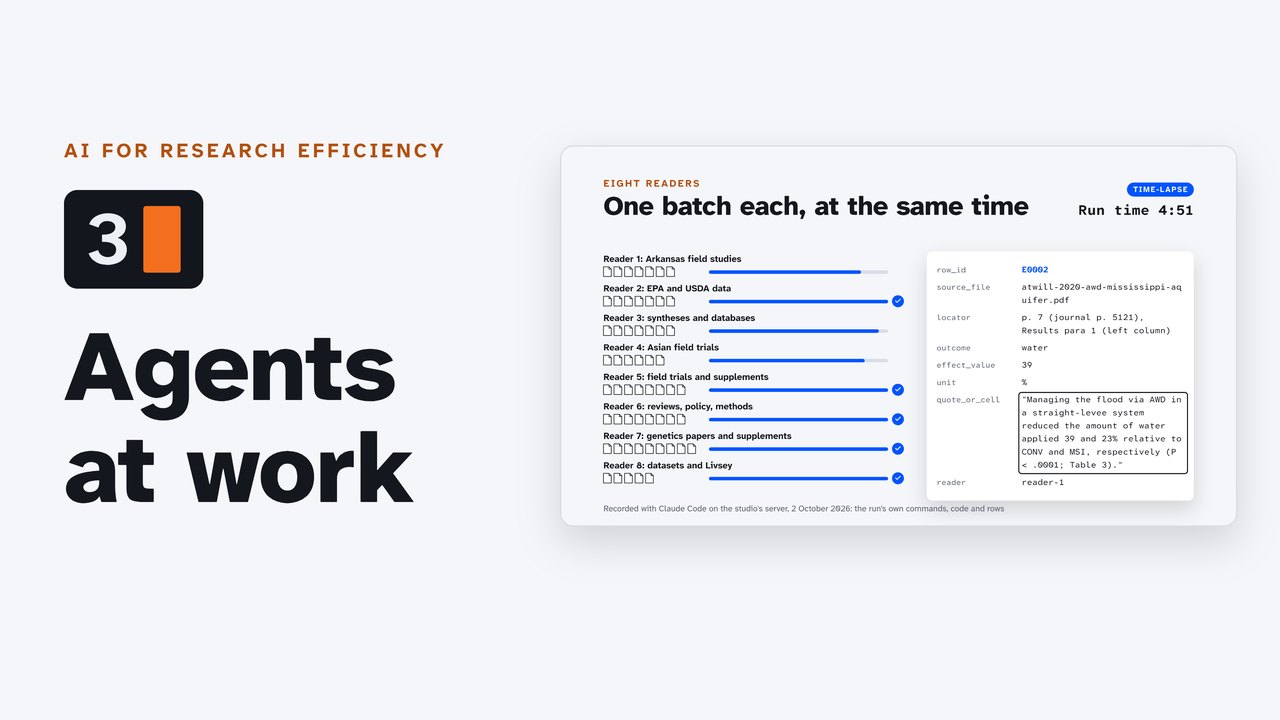
One real run, recorded on 2 October 2026: a review of 57 files (papers, spreadsheets, Word tables, slide decks) by eight reader agents and eight checker agents working at the same time, and a writer that drafts the answer from checked rows only. Every row in the evidence table names its file and its page, sheet and cell, or slide.
Try it: the practice folder
Download the practice folder (2.8 MB): 10 of the run's files in five formats (PDF, Word, Excel, PowerPoint, CSV) and a saved web page, all openly licensed; the rules file, the three agent files and the request from the recorded run; a README with each file's license; and the recorded run's own outputs in example-run/ (evidence.csv, checks.md, summary.md) to compare with yours, with the full review's list of its 57 sources (MANIFEST.csv: titles, links and licenses).
- Unzip it, open a terminal in the folder, and set up Python as the README shows (the agents write short Python scripts to read Word, Excel and PowerPoint files).
- Start your agent in the folder (Claude Code:
claude), and paste the request fromPROMPT.txt. - Start in the mode that asks before each step; when you trust what it does, switch to the faster mode.
- Check the result: pick a sentence in
summary.md, follow its row inevidence.csv, and open the page.
You should get a table where every row names its page.
The pattern
- Copies only. Put copies of the files in
sources/; the agents are told never to change them. - The rules, in a plain text file. Claude Code reads
CLAUDE.md; Codex and Antigravity readAGENTS.md(Antigravity also readsGEMINI.md). Write it as you would brief a research assistant: the question, what to extract, how to cite it. - One job per agent. A reader, a checker and a writer, each described in its own short file (Claude Code keeps them in
.claude/agents/; other tools have their own ways to define helpers). - Check against the source. The checkers open every cited page, sheet or slide again; you follow the trail for the sentences that matter.
The rules file of the recorded run
# Literature review: alternate wetting and drying (AWD) in rice ## The question Compared with continuous flooding,One of the agent files: the reader
---name: readerdescription: Reads one batch of source files and extracts evidence rows for the review in CLAUDE.md. Give each reader its own batch and name; several readers can run at the same time.tools: Read,The request, word for word
I'm reviewing the evidence on alternate wetting and drying in rice. The question,How the run was made
- Claude Code 2.1.288 in auto mode, on the studio's Linux server, 2 October 2026, 23:30 to 23:48 UTC: 17 minutes 29 seconds, 507 tool calls. Eight readers ran at once (0:25 to 5:39), then eight checkers (6:15 to 10:39), then the writer.
- Result: 667 rows from 40 of the 57 files; the checkers confirmed 573, corrected 94 and rejected none. The other 17 files gave no rows, each with a reason (nothing on the question, or pictures only).
- Claude Code reported an estimated $24.89 at API list prices; the run used a monthly plan, where it counts against the plan's usage limits instead.
- Claude Code refused the writer's own file write ("Subagents should return findings as text"), so the lead agent saved the writer's draft as
summary.md, then checked every cited row and number with a script of its own, and fixed an uncited figure before finishing. - The review folder sat inside the studio's own repository, so the studio's instructions file was also in the agent's view; the log shows no effect on the review. A run in a folder of its own is cleaner.
- The film replays the run from its log, as a time-lapse with the run's clock on screen; nothing in it is staged.
The answer, in brief
From checked rows only, each with its citation in summary.md: across 10 meta-analyses, alternate wetting and drying cut methane by 31 to 62% (mean 50.9%); water use fell by 25.7% (irrigation plus rainfall) to 39.7% (irrigation only); yield changed by -5.4% to +11% (mean +1.3%), with losses of about 23% under severe drying; nitrous oxide rose by 37 to 445%. In Arkansas field trials, irrigation water fell by 34.4 to 50.1% with no loss of yield; the folder has no Arkansas measurement of nitrous oxide under the practice.
Sources and licenses
- The 57 files and their licenses:
example-run/MANIFEST.csvin the practice folder (titles, links and licenses: CC BY 4.0 and 3.0, and U.S. government works); the practice folder's README lists its own 10. - The page shown in the film: Minamikawa, K. (2025), "Climate-smart water management in rice paddies: a meta-synthesis on greenhouse gas emissions and yield impacts", Paddy and Water Environment, doi.org/10.1007/s10333-025-01045-4 (opens in a new tab), CC BY 4.0 (highlights added).
- Area planted: USDA Economic Research Service, Rice Yearbook (opens in a new tab), Table 1.
- Browser chat limits (2 October 2026): Claude, up to 20 files per chat (Anthropic help center (opens in a new tab)); ChatGPT, up to 40 files in a project on the largest plans (OpenAI help center (opens in a new tab)); Gemini, up to 10 files in a prompt (Google help center (opens in a new tab)).
- The review's other findings shown in the film: U.S. EPA, Inventory of U.S. Greenhouse Gas Emissions and Sinks: 1990-2022, Chapter 5: Agriculture (opens in a new tab); Sellami et al. (2026), Toward water-smart cereal production (opens in a new tab), Frontiers in Plant Science; Chlapecka et al. (2021), Scheduling rice irrigation using soil moisture thresholds (opens in a new tab), and Atwill et al. (2020), Alternate wetting and drying reduces aquifer withdrawal in Mississippi rice production systems (opens in a new tab), Agronomy Journal; auto mode: Anthropic, Choose a permission mode (opens in a new tab).
Corrections
None so far. If you find something wrong, email doug,@douglashutchings.com.
Transcript
Every spoken line, by chapter
Agents at work
57 files on one research question: papers, spreadsheets, Word tables and slide decks.
More files than a browser chat takes at once. Here, a team of AI agents reads them all, and checks every number against its page.
AI for Research Efficiency. Episode 3: Agents at work.
Last time, you installed an agent and asked it a first question.
In this episode, a literature review by several agents at once. You write the rules, give each agent one job, and check what they find.
The question
The question comes from Arkansas, which plants nearly half of the country's rice.
Rice fields are usually kept flooded, and flooded soil gives off methane.
Alternate wetting and drying lets the water drain away between floods.
How much methane and water does that save? What happens to the yield? And do the Arkansas results agree with the rest of the world?
The folder
The folder holds copies of 57 files that are free to share, in 8 formats. The PDFs alone run to 500 pages.
A browser chat takes 10 to 40 files at a time, and it can't reach the folder on your computer. And this job needs every number traced back to its page.
The rules
First, the rules. They go in a plain text file in the folder, which the agent reads before it starts.
Claude Code reads a file called CLAUDE.md. Codex and Antigravity read AGENTS.md.
Write it as you'd brief a research assistant: the question, what to extract, and how to cite it.
Every number with its page, sheet and cell, or slide. Quotes, word for word. Anything uncertain, marked. And never change the source files.
The jobs
Then the jobs. Each kind of agent gets a short description of its own: a reader, a checker and a writer.
Readers pull out the evidence. Checkers trust nothing: they open every source again. The writer drafts the answer from checked rows only.
The request
Then one request, in plain words.
The run is long, so it works in auto mode, the faster speed from episode two. That's why the folder holds only copies.
Eight readers
The lead agent splits the files into 8 batches, by topic, and starts 8 readers at once.
Each reader works through its own batch. From a PDF, it takes the text with the table columns in place, or looks at the page as an image. For Word, Excel and PowerPoint, it writes a short Python script.
Every finding becomes a row: one number, for one outcome, with its file, its exact place, and the words it came from.
In under 6 minutes, the readers are done: 667 rows, from 40 of the files. The other 17 had nothing on the question, or only pictures, and the readers said which.
Eight checkers
Then 8 checkers, again at once. Each one opens every cited page, cell or slide, and compares it with the row.
573 rows are confirmed, 94 corrected, and none rejected. Most corrections are small: the right page, or how a study is described.
One changes the meaning. A reader filed an EPA sentence, "as much as 50 percent", as a comparison: flooding fields in winter, or not. And it said the study was in California.
The checker read the page again. The sentence gives the share of a year's methane released during winter flooding, and the page never says where. The right number, but the wrong claim.
The answer
Last, the writer drafts the answer from checked rows. The lead agent then checks that every statement carries its citation, and fixes the ones that don't.
Across 10 meta-analyses, drying cut methane by 31 to 62 percent: about half, on average.
It saved a quarter to two fifths of the water, depending on what's counted. Yield held on average, unless the drying was severe.
Nitrous oxide went up, so the climate gain is smaller than the methane cut.
And in Arkansas, field trials saved 34 to 50 percent of the irrigation water, with no loss of yield: in line with the world's studies of irrigation alone. But the folder has no Arkansas measurement of nitrous oxide under this practice.
Check it yourself
Now it's your turn. Pick a sentence, follow its citation to the row, and the row to the page.
Here's the water figure: row E0159. Page 2, Table 1: −25.7%, in the Water use column.
Do that for every figure your conclusions rest on.
What it couldn't do
The agents also listed what they couldn't do: numbers shown only in charts, and key papers missing from the folder.
This run took 17 and a half minutes. That's one example, on one folder.
Try it
Pause now, and try the practice folder from the companion page. Start your agent in the mode that asks first, and paste the request. You should get a table where every row names its page.
Review
So: write the rules, give each agent one job, check against the source, and follow the trail yourself.
The rules file, the job descriptions and the practice folder are all on the companion page.